Tactosy for Arms 由一对套袖组成。首次设置时,需要将各套袖指定为左臂或右臂。一旦指定,设备会记住自己的方位。
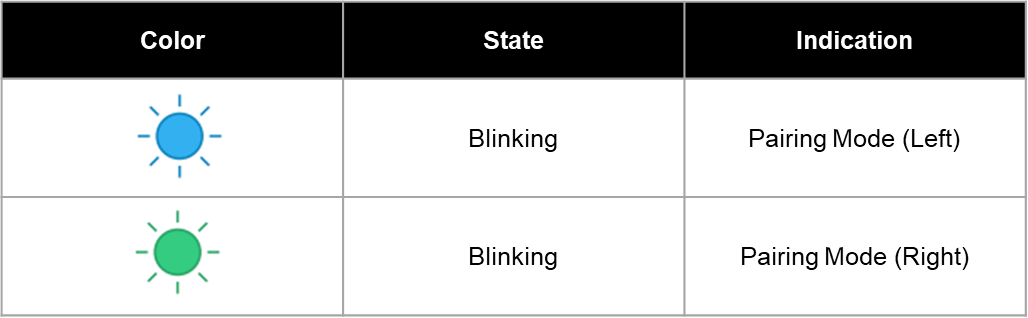
LED 指示灯(蓝牙配对模式):
- 蓝色闪烁: 左臂
- 绿色闪烁: 右臂
可在 bHaptics Player 中随时切换左右。
在 Meta Quest 的 bHaptics Player 中切换
- 将 Tactosy for Arms 与 Meta Quest 头显配对。
- 在头显中打开 bHaptics Player。
- 进入 Paired 标签页。
- 各设备会显示 "L" 或 "R" 标签。
- 要切换,请按需点击 L 或 R 按钮。
在 Windows PC 的 bHaptics Player 中切换
- 将 Tactosy for Arms 与 bHaptics Player for Windows PC 配对。
- 右键单击已连接的设备,选择 Swap to Left 或 Swap to Right。
在移动版 bHaptics Player 中切换
- 将 Tactosy for Arms 与 bHaptics 移动应用配对。
- 进入设备详情页面。
- 按需点击 L 或 R 按钮切换左右。
这篇文章有帮助吗?
很好!
感谢您的反馈。
抱歉我们没能带来帮助
感谢您的反馈。
反馈已发送
感谢,我们将试着改善此文档。
Still have problems?
If you couldn’t find what you were looking for, feel free to contact our support team.