We recommend fully charging your TactGlove before using it for the first time. Using the provided charging cables, it takes about 2 hours to fully charge. The LED indicator will turn green when charging is complete.
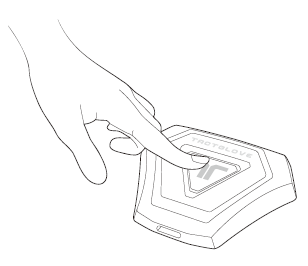
To turn on the device, press and hold the power button on the Main Controller for two seconds.
When the TactGlove DK2 powers on, it will vibrate briefly, and the LED indicator will blink blue, indicating it is in Bluetooth pairing mode.
Was this article helpful?
That’s Great!
Thank you for your feedback
Sorry! We couldn't be helpful
Thank you for your feedback
Feedback sent
We appreciate your effort and will try to fix the article
Still have problems?
If you couldn’t find what you were looking for, feel free to contact our support team.