You can manually power off your TactGlove by pressing the power button. Additionally, the automatic power-off feature lets the device turn off after a period of inactivity, helping to conserve energy and extend battery life.
Setting on Windows PC
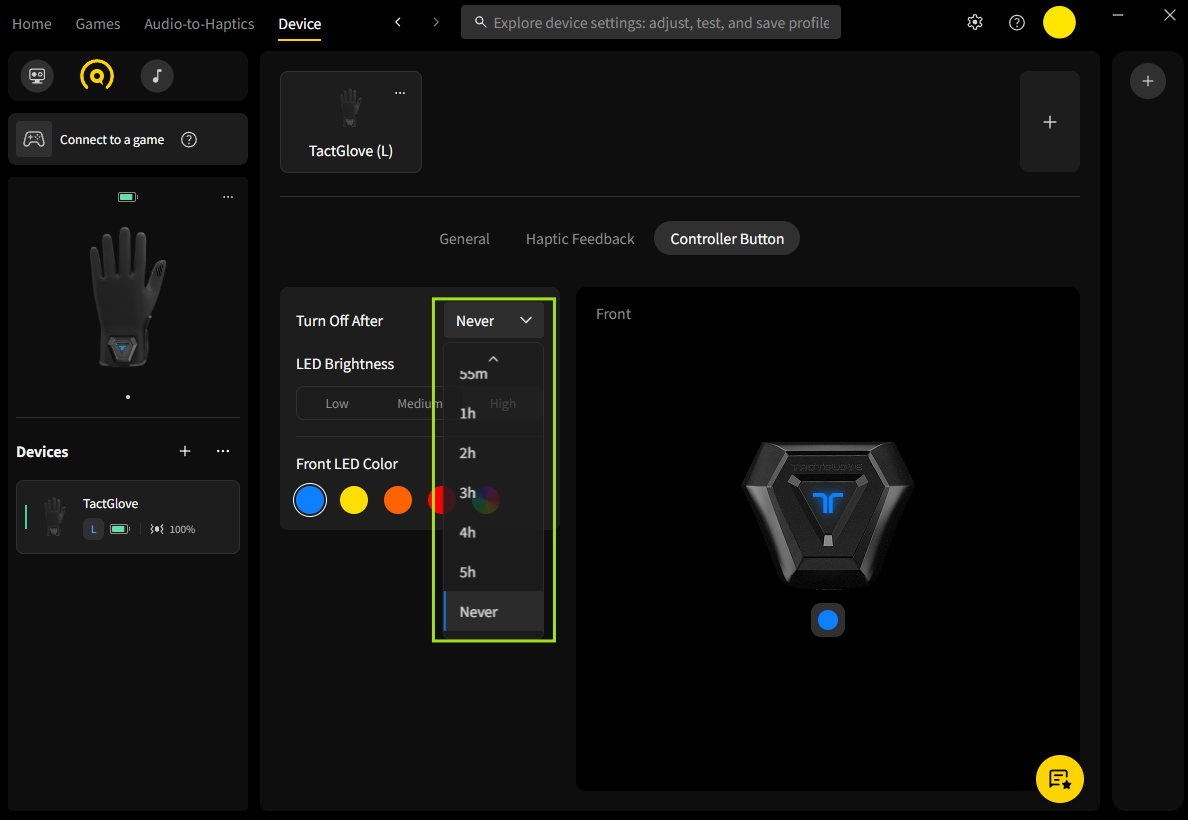
Open bHaptics Player for PC and pair your TactGlove.
Go to the Device tab and select Controller Button.
In the Turn Off After section, select your preferred duration of inactivity.
Was this article helpful?
That’s Great!
Thank you for your feedback
Sorry! We couldn't be helpful
Thank you for your feedback
Feedback sent
We appreciate your effort and will try to fix the article
Still have problems?
If you couldn’t find what you were looking for, feel free to contact our support team.