Experience next-level immersion with your bHaptics device by playing content that supports optimized haptic feedback. Whether you're using TactSuit Pro, TactSleeve, or other bHaptics gear, you can enjoy immersive feedback through natively supported titles, bHaptics-made mods, and community-made mods.
QUICK OVERVIEW
bHaptics Official Website
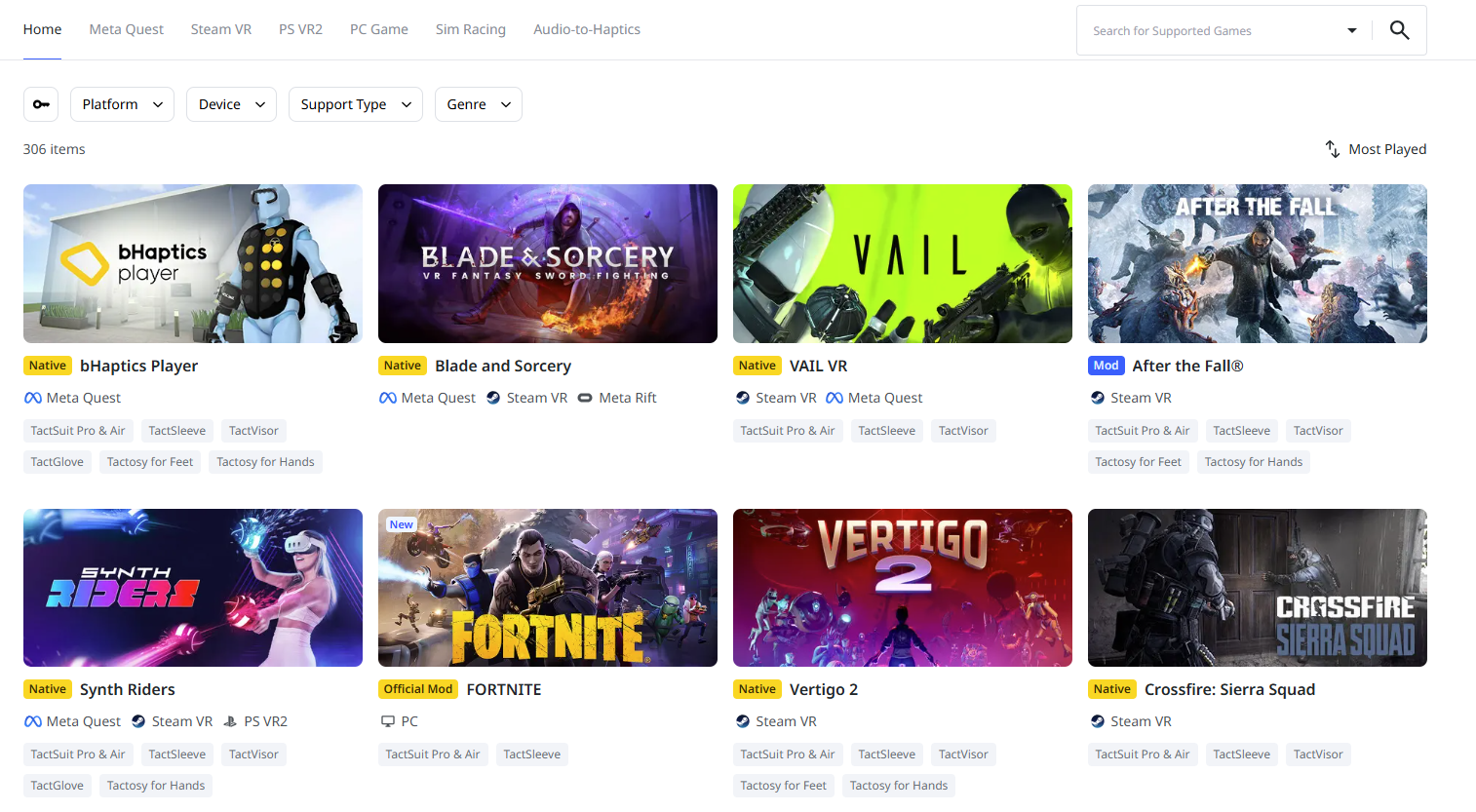
Browse the full list of supported content on the Games page of the bHaptics website: https://www.bhaptics.com/games/.
Use the search bar at the top of the page to quickly find a specific game or app by title.
Or scroll down to browse the full list of supported content. You can use the filters below the list to narrow down results by:
- Platform
- bHaptics device
- Support type (Native or Mod)
- Genre
Once you find something you're interested in, you can:
- View more details like trailers, gameplay videos, and device compatibility.
- Download or purchase the game directly from the store link.
On the bHaptics Player for Windows PC
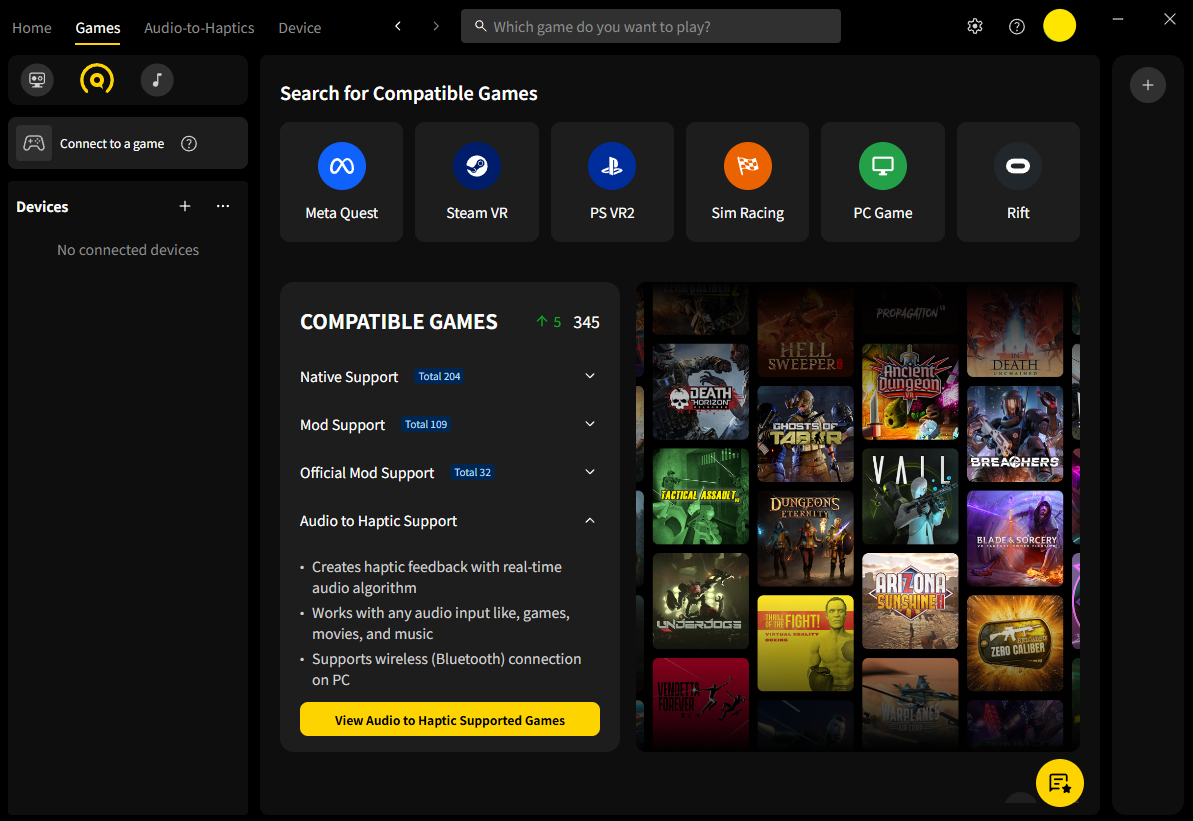
If you’ve installed the bHaptics Player for PC, you can find compatible content directly in the app.
- Open bHaptics Player and go to the “Games” tab.
View natively supported and mod-supported titles in one place.
Use filters to sort by device or support type.
Click a title to see more info including videos, ratings, and user feedback.
For games with Mod Support, you’ll also find a step-by-step installation guide in the “How to Play” section.
On the bHaptics Player Mobile App
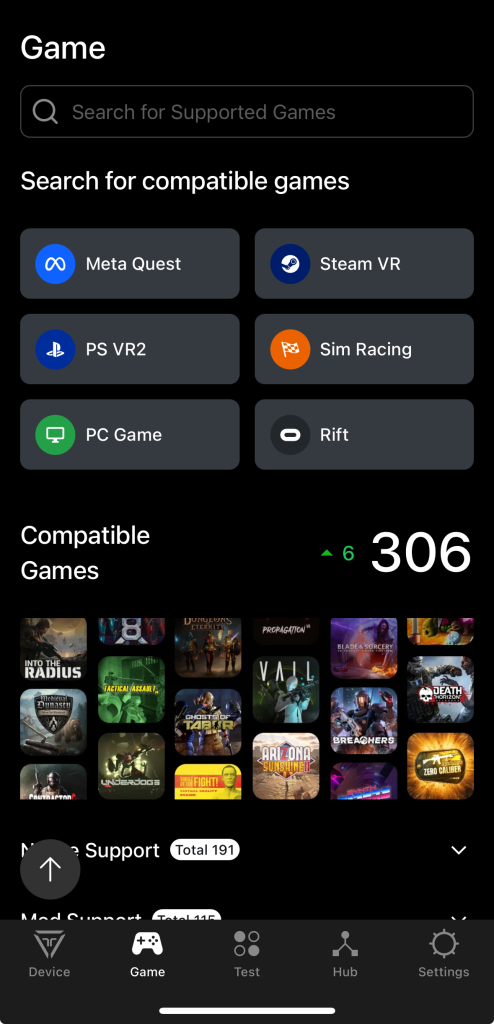
You can also explore supported content from the bHaptics Player for mobile.
To check the list:
Open the bHaptics Player mobile app and go to the “Games” tab.
Scroll down to view the complete list of compatible content.
Use filters, the search bar, or browse through the list.
Tap on a game to see more details, including trailers, gameplay videos, haptic ratings, and more.
Was this article helpful?
That’s Great!
Thank you for your feedback
Sorry! We couldn't be helpful
Thank you for your feedback
Feedback sent
We appreciate your effort and will try to fix the article
Still have problems?
If you couldn’t find what you were looking for, feel free to contact our support team.