For safety and battery protection, all bHaptics devices are shipped in sleep mode. Before using your TactSuit Pro for the first time, follow the steps below to properly activate the device.
Quick Overview
Step 1: Charge the Device
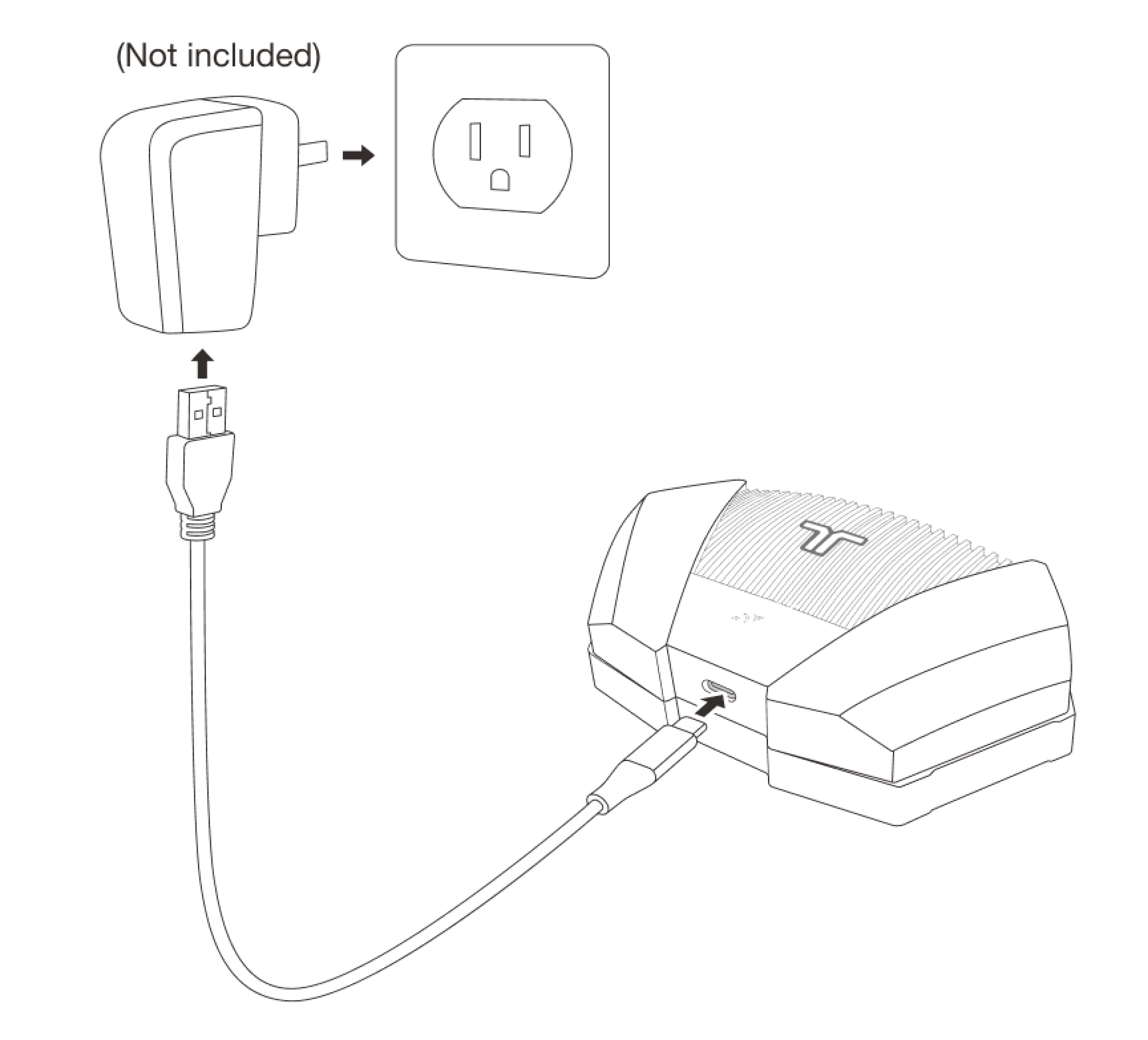
To wake the TactSuit Pro from sleep mode, connect the included USB Type-C charging cable to the device and plug it into a power source.
Allow the device to charge for a while to ensure it has sufficient battery before turning it on for the first time.
The TactSuit Pro does not include a power adapter. You may use any AC adapter that meets your region’s safety standards (for example, UL-certified in the U.S. or CE-certified in Europe). You can also charge the device using a USB port on a PC or laptop.
⚠️ Using an unauthorized adapter or cable may cause damage to the device, affect performance, or void your warranty.
Step 2: Turn On the TactSuit Pro
After charging:
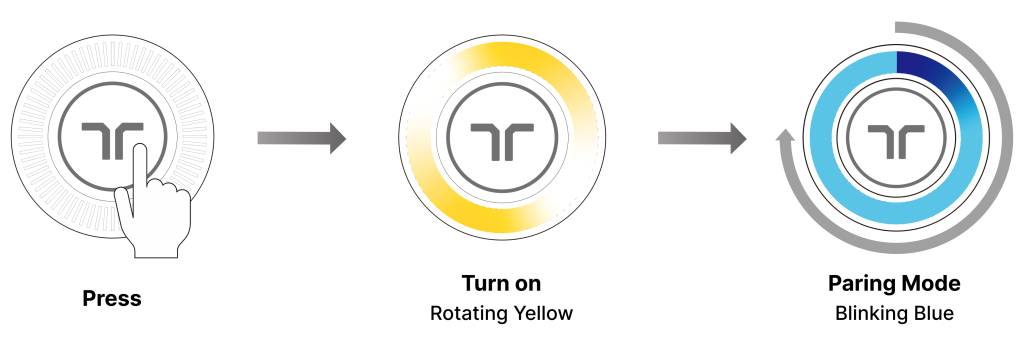
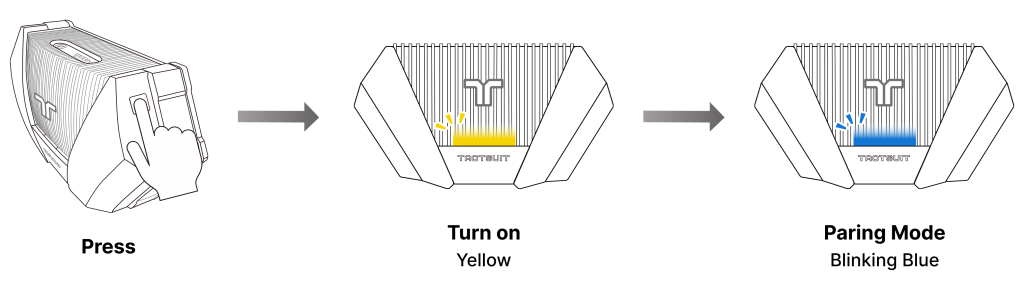
Press and hold the power button on either the Front or Back Controller for approximately 2 seconds.
The TactSuit Pro will vibrate briefly.
The LED indicator will blink blue, indicating that the device is in Bluetooth pairing mode.
You are now ready to connect your TactSuit Pro to your device.
Was this article helpful?
That’s Great!
Thank you for your feedback
Sorry! We couldn't be helpful
Thank you for your feedback
Feedback sent
We appreciate your effort and will try to fix the article
Still have problems?
If you couldn’t find what you were looking for, feel free to contact our support team.