To experience optimal haptic feedback, install the TactVisor on your VR headset by following the steps below.
⚠️ A third-party facial interface with Velcro attachment is required to install your TactVisor. Please refer to our list of supported VR headsets and the recommended third-party facial interfaces for each model.
Installation Steps
Remove the facial interface inside your VR headset.
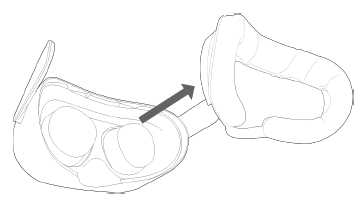
Detach the cushion from the facial interface if it is attached with Velcro.
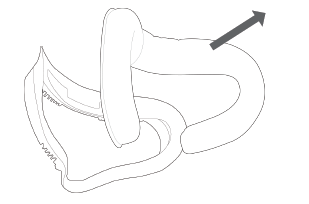
Install the facial interface with Velcro attachment onto your VR headset.
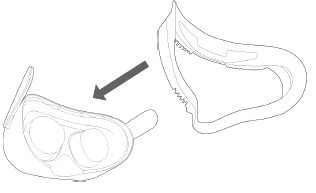
Attach the TactVisor to the Velcro area on the facial interface.
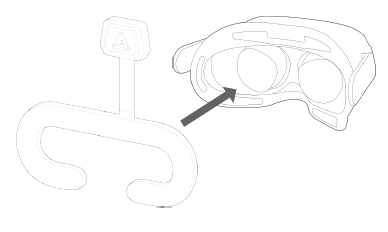
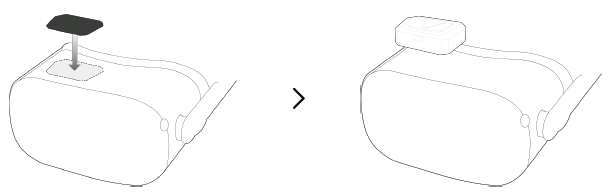
Attach the Main Controller to the top of the VR headset using the included Velcro stickers.
Was this article helpful?
That’s Great!
Thank you for your feedback
Sorry! We couldn't be helpful
Thank you for your feedback
Feedback sent
We appreciate your effort and will try to fix the article
Still have problems?
If you couldn’t find what you were looking for, feel free to contact our support team.