Not all games include native bHaptics integration, but many can still be enjoyed with haptic feedback through mods. These mods are either developed by bHaptics or created by the community, and they enable your device to respond to in-game events even if the game doesn’t provide native support.
Step 1: Pair Your Device to Windows PC
Before using any mod, your bHaptics device must be paired with your Windows PC:
Insert the Bluetooth dongle provided with your device into your PC.
Power on your bHaptics device.
Open the bHaptics Player.
Once your bHaptics device is detected in the Player, click the Connect button.
Step 2: Install the Required Mod
Each mod-supported game requires a specific mod file to enable haptic feedback.
Visit the bHaptics Games Page.
- Find your game in the list and click on it to open the game’s page.
- Select “How to Play”. This will open a guide with detailed installation steps and all relevant links for the corresponding mod.
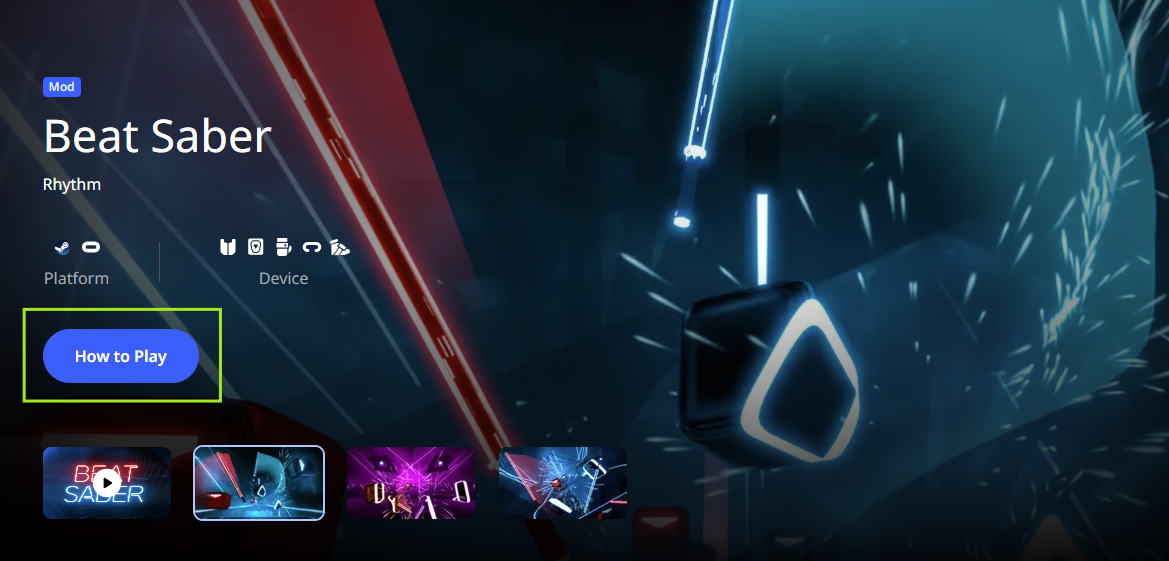
- Follow the installation instructions provided in the guide. Instructions vary depending on the game, so be sure to carefully complete each step.
Was this article helpful?
That’s Great!
Thank you for your feedback
Sorry! We couldn't be helpful
Thank you for your feedback
Feedback sent
We appreciate your effort and will try to fix the article
Still have problems?
If you couldn’t find what you were looking for, feel free to contact our support team.