Extended straps, available separately from our online shop, can be added for a more relaxed fit. Follow the steps below to attach them to your vest.
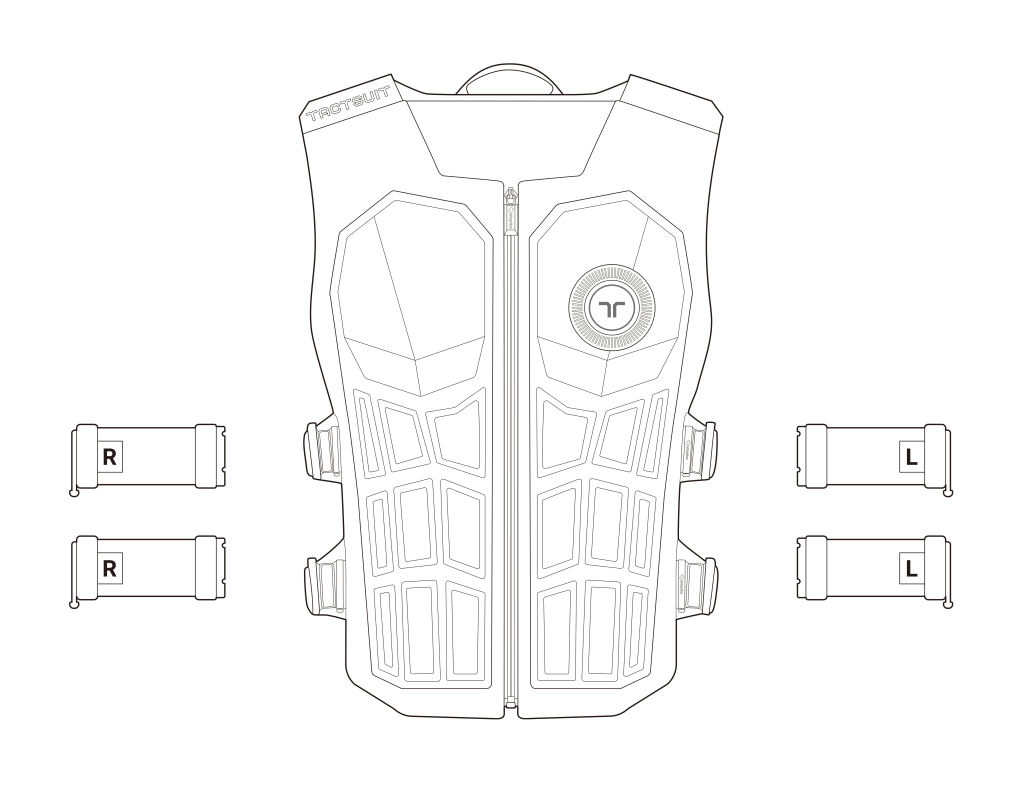
How to extend the Left side of the Vest
- Detach the current straps
Push the strap’s lock downward and pull out to remove it completely. (If bHaptics logo is facing upwards, push the lock down).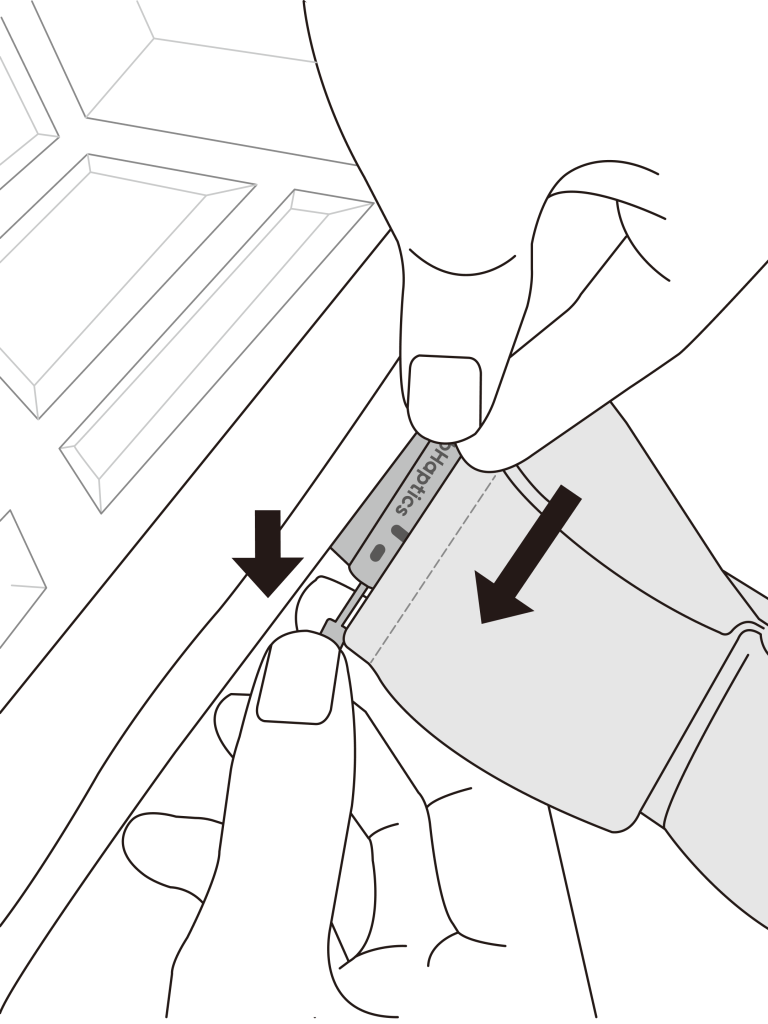
- Attach the Left extension strap
Align the extension strap with the vest’s strap slot and push the strap’s lock upward to secure it in place. Make sure the label is facing inward.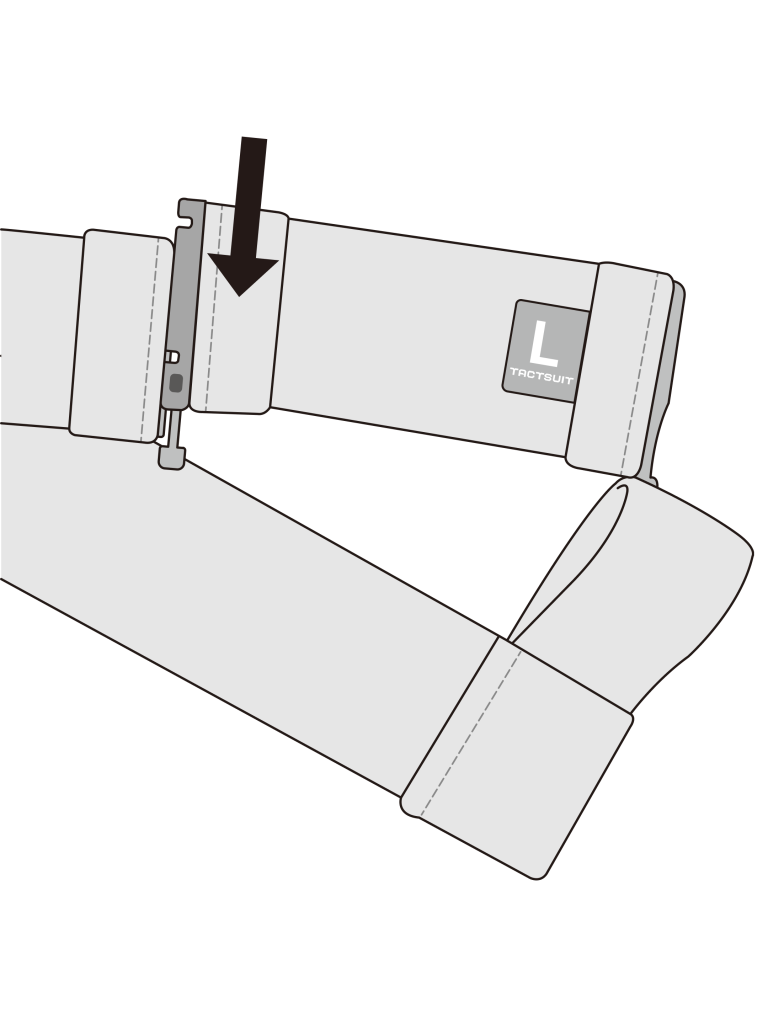
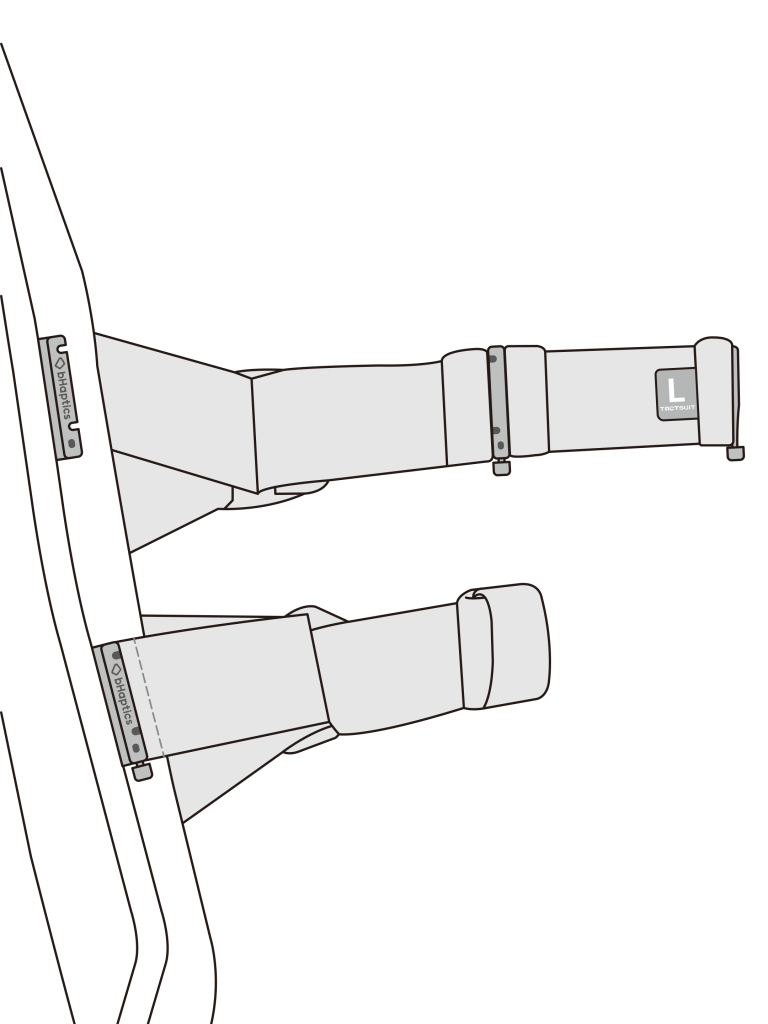
- Attach the other side of the strap
Align the another extension strap side with the vest’s strap slot and push the strap’s lock upward to secure it in place.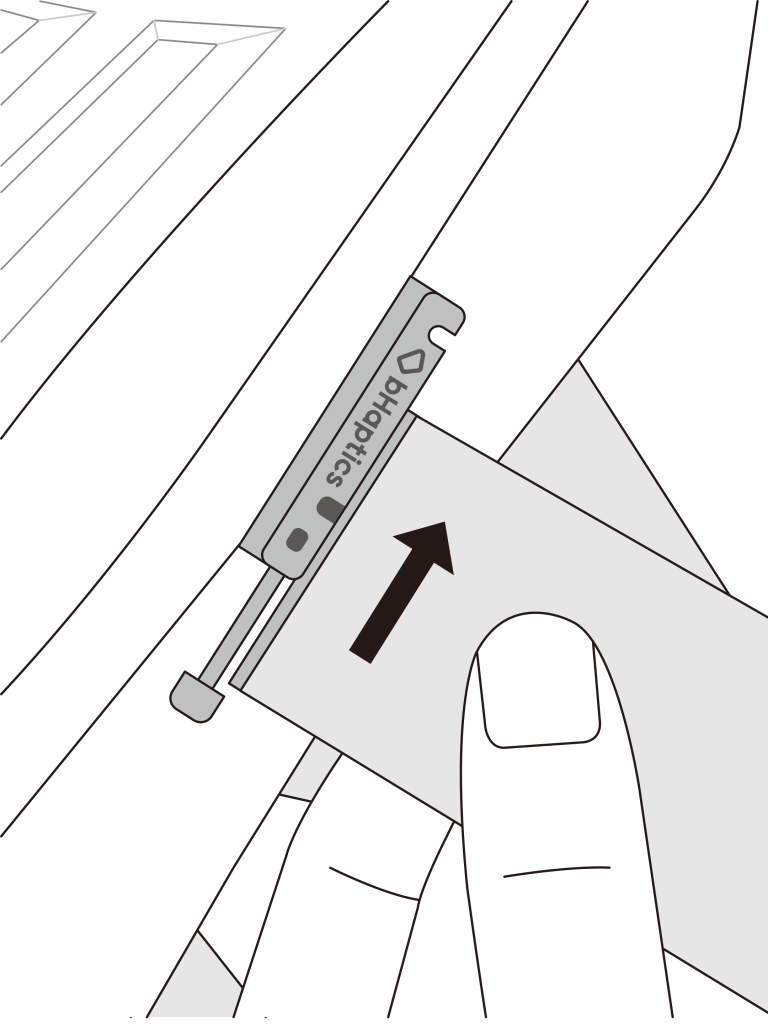
How to extend the Right side of the Vest
- Detach the current straps
With the bHaptics logo facing downward, push the strap’s lock upward to remove it.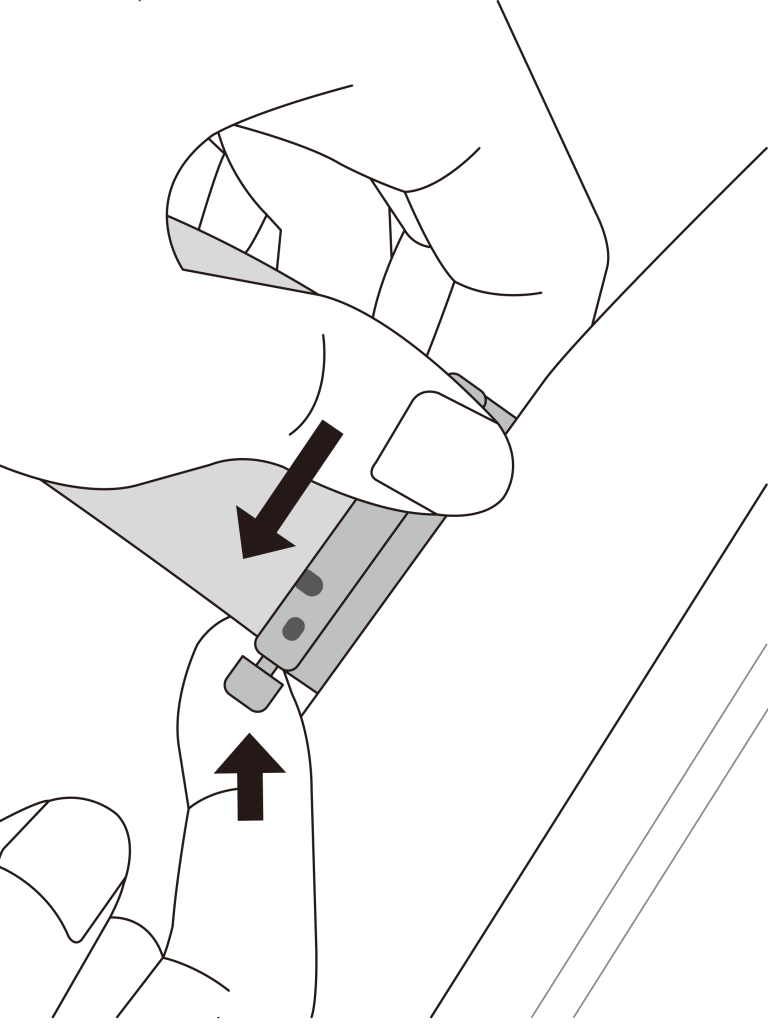
- Attach the Right extension strap
Align the extension strap with the vest’s strap slot and push the strap’s lock upward to secure it in place. Make sure the label facing inward.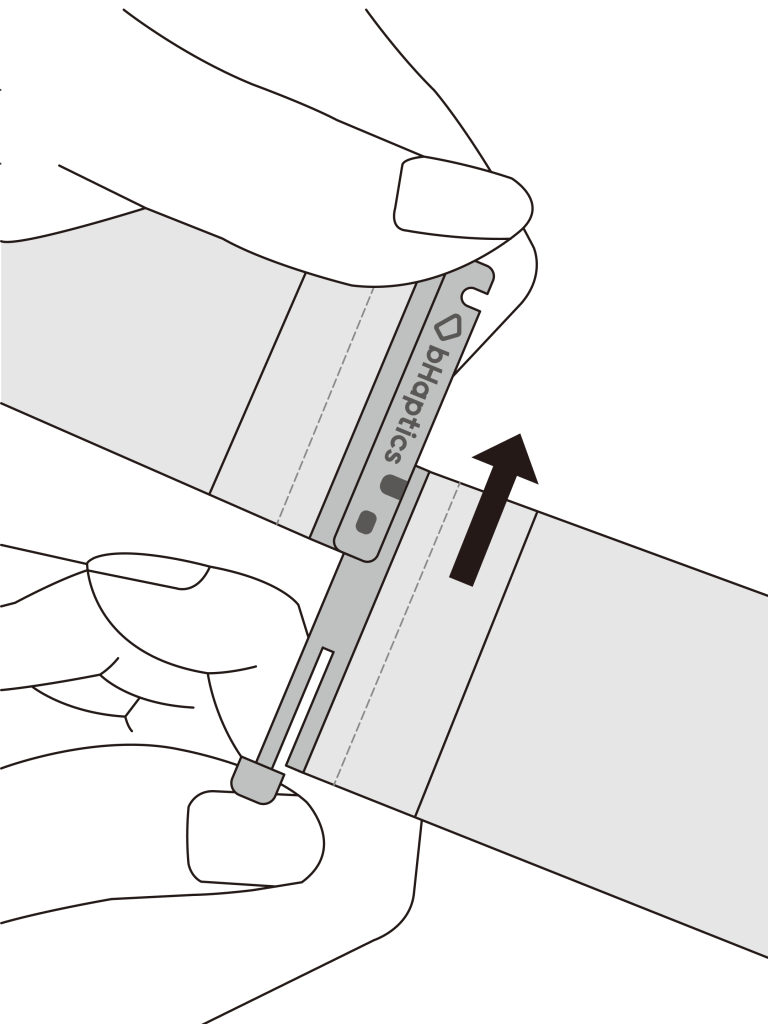
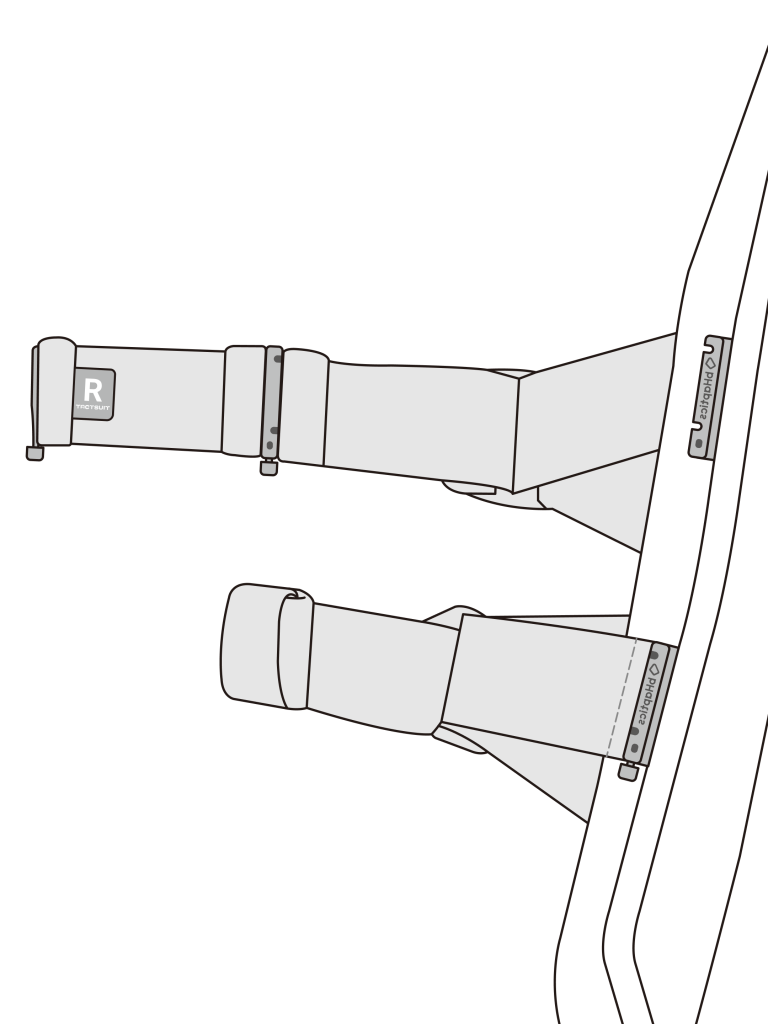
- Attach the other side of the strap
Align the another extension strap side with the vest’s strap slot and push the strap’s lock upward to secure it in place.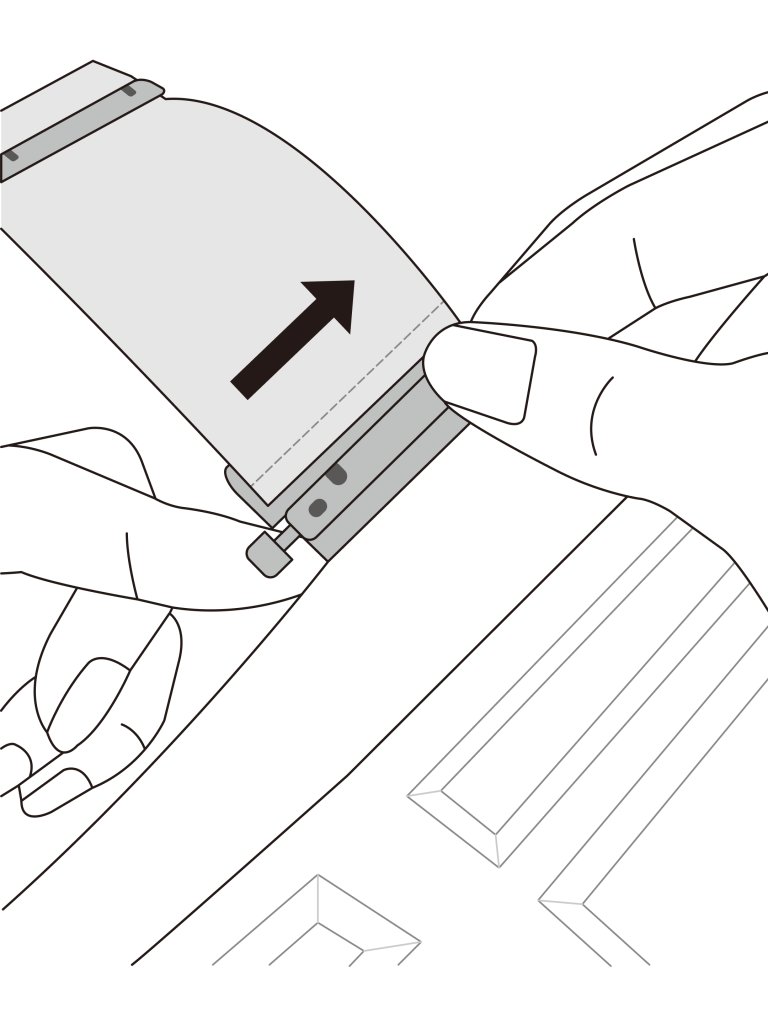
Was this article helpful?
That’s Great!
Thank you for your feedback
Sorry! We couldn't be helpful
Thank you for your feedback
Feedback sent
We appreciate your effort and will try to fix the article
Still have problems?
If you couldn’t find what you were looking for, feel free to contact our support team.