When you are not using your TactSuit X40, you can turn off it manually or automatically.
Turn off manually
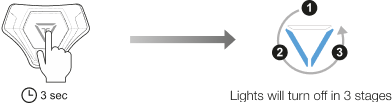
When you press on the Power Button for 2 seconds, the LED lights will turn off sequentially in a counterclockwise direction, and the power will be turned off.
Turn off automatically
After 3 minutes in the pairing mode
The device’s power will automatically turn off after 3 minutes in the pairing mode.

When “Turn off After” is enabled
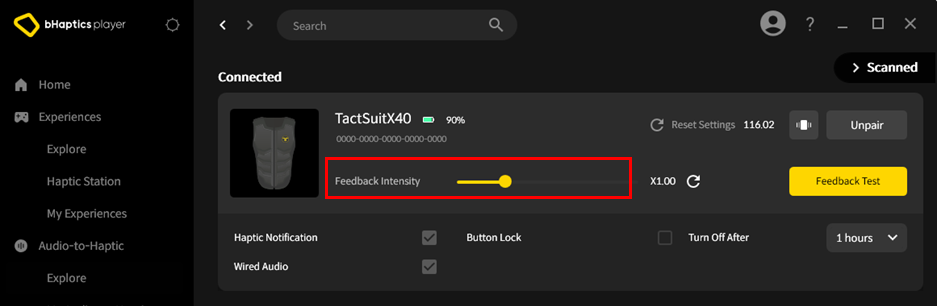
If “Turn off After” is enabled in Device > Connected Settings, the device’s power will automatically turn off if it is not used for the set time.
Charging
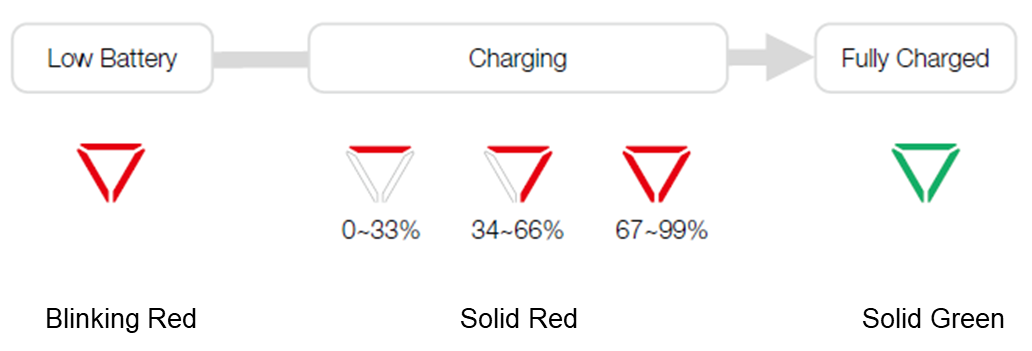
If the device’s battery level falls below 20%, the LED indicator blinks in red. In this case, we recommend you using the device after charging it to ensure device’s performance.
To charge the device, insert the provided charger into the charging port located on the bottom of the main controller.
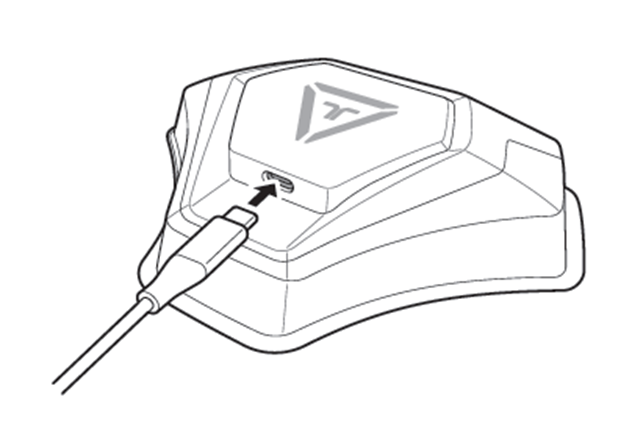
Using the included charging cable, it typically takes approximately 5 hours (using a 5V, 2A charger) to be fully charged.
As the battery charges, the LED indicator will progressively filling up in red, displaying the charging status. Once the battery is fully charged, the LED indicator will turn on solid green.
Was this article helpful?
That’s Great!
Thank you for your feedback
Sorry! We couldn't be helpful
Thank you for your feedback
Feedback sent
We appreciate your effort and will try to fix the article
Still have problems?
If you couldn’t find what you were looking for, feel free to contact our support team.